
PB&J TV Family
Peanut Butter and Jelly TVParenting
4.4118.00 Reviews
- Version
- 2.4
- Installs
- 10.00K
- Age Rating
- Everyone
Screenshots
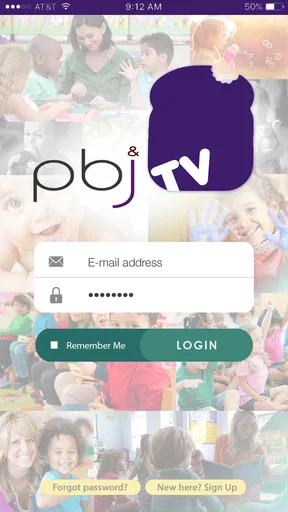
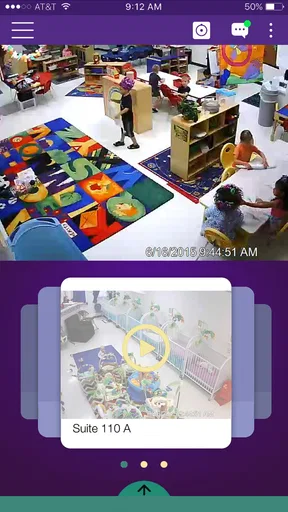
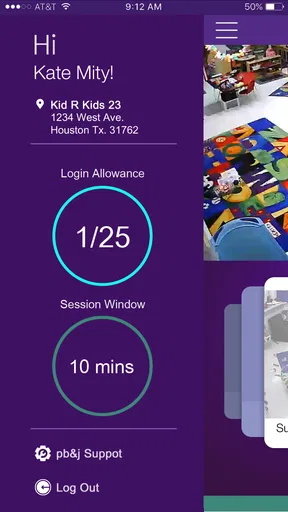
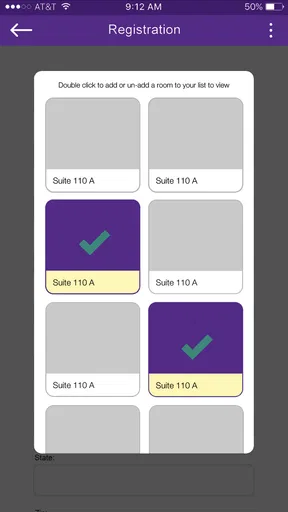
Our Review of PB&J TV Family
 Analysis by Appyee
I first looked at PB&J TV Family as the kind of app that might make sense in a busy home, where relatives want to share family moments without turning every interaction into a complicated technical project. Developed by Peanut Butter and Jelly TV, it belongs to the parenting category and presents itself as a family webcasting app. That description is brief, but the useful question is more practical: does it fit the way a household actually communicates, especially when several people use the same tablet or phone?
My answer is cautiously positive. The app is free, rated for Everyone, and its current version is 2.4, so it is easy to approach without making a financial commitment. I also like that it is not presented as an entertainment game disguised as a family tool. Its purpose is narrower: helping a family share or present something through a webcast-style experience. That focus can be helpful, although it also means you should not expect it to replace a full messaging service, a private photo library, or a complete parental-control system.
How PB&J TV Family Fits Into a Shared Home
The most convincing use case is a household with a shared device in a common room. Imagine a child has made a drawing, a parent wants to show a short family activity, or relatives want to take part in a small home presentation. Instead of passing the device around while trying to explain what should happen next, the app can serve as a single place to organize that moment. The benefit is less about advanced technology and more about giving the family a recognizable routine.
That routine matters when children are involved. A shared tablet often moves between a parent, a child, and perhaps a grandparent. Apps designed for one individual can become awkward in that environment because the next person may inherit an open screen, an unfinished session, or settings changed by the previous user. With this app, I would treat the device as a family station rather than as a personal account. Before starting, I would decide who is responsible for launching the session, who is appearing on camera or in the broadcast, and who is simply watching.
The strongest household advantage is clarity of purpose. When everyone knows that the tablet is being used for a family broadcast, it is easier to avoid accidental mixing of personal activities. I would keep the device in a shared area, prepare the room before opening the app, and close the session when the activity ends. That simple habit is more valuable than trying to make one device behave like several completely separate phones.
A realistic afternoon scenario would be a parent helping a child share a small performance with relatives. The parent could handle the device while the child focuses on the activity itself. A grandparent watching from elsewhere would not need to manage the household tablet, and another child could wait nearby without taking over the controls. The app is most useful in that kind of guided situation, where an adult is present and the goal is a defined family moment rather than open-ended social browsing.
I would be less enthusiastic about using it as an always-available communication channel. If your family mainly needs quick text messages, group calls, shared calendars, or automatic photo backup, familiar communication apps will usually be more flexible. PB&J TV Family makes more sense when the family wants a dedicated webcast-style space and appreciates keeping that activity separate from everyday messaging.
Starting with the right household boundary
One of the first things I would establish is who gets to operate the app. A child may be perfectly capable of pressing buttons, but that does not automatically mean the child should decide when something is shared or who appears in it. I would let younger users participate in the content while an adult keeps responsibility for starting, stopping, and checking the audience.
This is not a criticism of the app so much as a realistic way to use a family broadcasting tool. The safest boundary is a human one: the person holding the device should know what is about to be shown. On a shared tablet, that means avoiding the assumption that the last person’s choices are still appropriate for the next person. A quick check before each use can prevent an innocent family activity from becoming an unintended public or private moment.
I also recommend separating “watching” from “editing” in the household routine. If one child is allowed to explore while another is preparing a presentation, confusion can follow quickly. Give the presenter a quiet few minutes to prepare, then hand control to the adult or designated operator. This small workflow reduces interruptions and makes the app feel much more dependable.
Because the app is free, it is easy to install for a trial without asking whether a subscription will be worth it. That is useful for families who want to test the idea first. I would still avoid installing it casually on every device in the home. Start with the one tablet or phone that will actually be used, learn how your family handles the sessions, and only then decide whether another device would add value.
Device sharing also raises a practical question: should the app live on a child’s personal phone or on a family tablet? In my view, the shared tablet is usually the better fit for planned household use. It makes the activity visible, keeps the responsibility in a common space, and avoids making one child’s phone the unofficial family broadcast center. A personal phone may be convenient for an older user, but it blurs the line between private use and family use.
Coordinating people without making the activity complicated
Family activities often fail because the coordination is harder than the activity itself. One person is ready, another is still looking for the device, and someone else starts speaking before the session is prepared. I would use PB&J TV Family with a short pre-broadcast checklist: decide the subject, choose the operator, check the room, and tell participants when to begin.
This approach is especially helpful when relatives are involved remotely. The adult in the home can act as the bridge between the child and the viewers. Rather than expecting a young user to manage timing, introductions, and technical decisions, the adult can keep the sequence moving. The app then supports the family event instead of becoming the event.
A useful trick is to keep each session focused on one purpose. For example, a child might show a craft, read something aloud, or present a small family update. Combining several unrelated activities makes it harder for viewers to follow and harder for the child to feel successful. A narrow theme also gives the operator a clear reason to end the session, which is useful on a shared device.
I would also prepare a quiet fallback. If the network, device, or participants are not ready, have the child record or demonstrate the activity for the people in the room instead. I am not suggesting that the app includes an alternative recording system; I mean that the family should not let a technical interruption ruin the occasion. This is one reason I see the app as a supporting tool rather than the only plan.
Coordination becomes more delicate when several children want equal attention. I would decide the order before opening the app and give each child a defined role. One could present, another could hold materials, and a parent could operate the device. This prevents the familiar argument in which every child reaches for the screen at once. The app cannot solve sibling dynamics by itself, but its dedicated purpose makes it easier to create a repeatable household process.
Age, trust, and the role of an adult
The Everyone rating makes the app approachable for a broad audience, but an age label should not be confused with a complete family-use policy. In practice, suitability depends on the child’s maturity, the family’s expectations, and who controls the broadcast. I would be comfortable introducing it to a child as part of a supervised activity, while being more careful about independent use.
For younger children, the adult should explain three simple rules: do not share personal details, do not include people who have not agreed to participate, and stop when the adult says the session is finished. These are good habits for any camera or webcast tool. They are particularly important on a shared device, where one family member may assume everyone has the same understanding of what is being shown.
For older children, the app could become a way to practice planning and presentation. The child can choose a topic, organize materials, and speak to relatives, while the adult remains available to handle the device and review the situation. That balance gives the child ownership without turning the app into an unsupervised social platform.
Trust should work in both directions. Parents should not treat every child-created broadcast as something to inspect or correct constantly, because that can make the activity feel like a test. At the same time, children should understand that family sharing is not the same as private recording. I would agree on the audience and subject in advance, then let the child perform within those limits.
Shared accounts and shared devices deserve special attention. I would not assume that the app creates separate personal spaces for every member of the household. Instead, I would use the device’s existing household habits: keep it in a common location, sign out of unrelated services when appropriate, and avoid leaving a family session open for the next user. This is a practical boundary that protects privacy without pretending the app is a full account-management solution.
That distinction also explains who should skip it. Families looking for detailed child profiles, extensive activity reports, advanced restrictions, or a broad communication suite may find a dedicated family-management service more suitable. PB&J TV Family is a better match for parents who want a focused family webcast activity and are willing to provide the supervision and organization around it.
What the app does well in everyday use
The app’s appeal comes from being easy to justify. At no cost, it can be tested during a real family activity rather than evaluated only through a description. The developer is Peanut Butter and Jelly TV, and the app has reached over ten thousand installs with an average rating of 4.4 from around 510 ratings. Those figures suggest that it has found a modest audience, although I would still judge it by whether it fits your household’s particular routine.
I found the dedicated family angle more useful than a generic video tool when the participants needed a clear reason to gather. A general video-call app may offer more communication options, but it can also bring along contacts, notifications, chats, and unrelated conversations. A family-focused app can feel calmer when the purpose is simply to share a planned moment. The trade-off is that a general service is usually more versatile once the family wants to move beyond that narrow activity.
Another strength is the way it encourages an adult to frame the experience. That may sound like extra work, but it can make the result better for children. A child who knows the topic, order, and audience is less likely to become overwhelmed. I would use the app for short, prepared moments rather than expecting it to manage a spontaneous household conversation from beginning to end.
The main friction is that a dedicated tool still has to earn its place on the device. Families already using a familiar video or messaging app may wonder why they need another option. If relatives are comfortable with the service they already use, switching may create more explanation than benefit. The app is worth considering when its family-specific focus improves the experience, not simply because it is available.
Compatibility is straightforward at a basic level: the app requires Android 8.0 or later. Before planning a family event, I would check the operating system of the intended tablet or phone rather than waiting until the moment begins. This is especially important with older household devices that are kept for children. A device that works well for simple reading or video playback may still need an appropriate system version for this app.
I would also test the complete routine before inviting relatives. Open the app, identify who will operate it, check that the device is positioned comfortably, and make sure the child knows where to stand or sit. This is not about discovering hidden performance figures; it is about removing avoidable stress. A short rehearsal can reveal whether the shared device is placed too far away, whether the room is noisy, or whether the family needs a simpler presentation.
Choosing it over familiar alternatives
Compared with a standard messaging app, PB&J TV Family is less useful for ongoing conversation but potentially better for a defined family broadcast. Messaging tools are excellent for quick updates, photos, and back-and-forth replies. They also tend to be familiar to relatives. I would choose messaging when the family needs an informal thread and choose this app when the event benefits from a dedicated start-and-finish structure.
Compared with a general video-calling service, the decision depends on flexibility. A general service is usually the stronger choice for meetings, long conversations, multiple participants, and relatives who already have accounts there. This app is more appealing when the household wants a simpler family-centered activity and does not need all the surrounding meeting features.
Compared with a private photo or video library, the difference is timing. A library is better for collecting memories that people can view later. A webcast-style app is better suited to sharing something as it happens. I would not use one as a substitute for the other. A family might enjoy the live moment and still use a separate storage service for keeping memories afterward.
There is also a difference between this app and parental-control software. Parental-control tools are designed around restrictions, schedules, reports, or device supervision. PB&J TV Family should be judged as a family sharing tool, not as a control center. If your main concern is managing screen time or filtering a child’s wider device use, another category of app is the more appropriate answer.
Small habits that make the experience better
I would create a visible household rule that the app is opened only when the family has agreed on the activity. That prevents the device from becoming an unplanned stage and gives children a predictable sense of when they are participating. The rule is simple enough for younger users and still useful for older ones who want more independence.
Keep the operator’s role separate from the presenter’s role whenever possible. A parent can manage the screen while the child concentrates on speaking or demonstrating. If the child is old enough to operate the app, let them practice during a private rehearsal first. This avoids making the real family session the first time they have to handle the controls.
Use the room to your advantage. Place the device where the operator can reach it without walking through the activity, and remove unrelated personal items from view. This improves concentration and creates a clearer boundary between the family’s private space and what they intend to share. It is a small preparation step, but it has more practical impact than adding another app to the device.
Finally, end deliberately. Tell participants when the activity is over, close the session, and return the device to its normal shared-use state. On a household tablet, that final step prevents the next person from opening an unfinished family activity by accident. It also teaches children that sharing has a beginning and an ending, rather than being something that remains active indefinitely.
My household verdict
I see PB&J TV Family as a focused option for families that want to organize small webcast-style moments around a shared device. Its free price, Everyone rating, and approachable purpose make it easy to try, while the modest install base and 4.4 average rating suggest a niche tool rather than an essential app for every household. I would recommend testing it with one planned activity instead of installing it with the expectation that it will replace every family communication tool.
It works best when an adult sets the boundaries, the audience is understood, and the activity has a clear purpose. Children can participate meaningfully, but I would not hand over complete responsibility simply because the app is family-oriented. The strongest results come from combining the app with good household habits: shared-device awareness, agreement about who appears, and a clear routine for starting and stopping.
I would choose a general video service for broad conversations, a messaging app for everyday updates, a photo library for long-term memories, and parental-control software for device supervision. I would choose this app when the family wants something more intentional than a message and less elaborate than a full online meeting. That is a narrow space, but it is a genuine one.
Overall, my recommendation is for parents, grandparents, and households that enjoy planned shared activities and do not mind providing the coordination themselves. Skip it if you need sophisticated account separation, detailed child management, or an all-purpose communication platform. For the right family, though, it can turn a shared phone or tablet into a simple stage for staying connected, provided everyone treats the human boundaries as seriously as the technology.
Verdict
Strengths of PB&J TV Family
- Simple interface that children can navigate with little assistance.
- Offers family-friendly programming suitable for shared viewing.
- Includes educational and entertaining content in one place.
- Useful option for screen time on compatible mobile devices.
- New viewers can start watching without a steep learning curve.
Limitations of PB&J TV Family
- Content selection may feel limited compared with major streaming platforms.
- Availability of shows can vary by region or licensing agreements.
- Some features may require a stable internet connection.
- Parents may want stronger tools for managing viewing time.
- Older children could find the programming less engaging over time.
Similar Picks in This Category
View All
Family Space
Motorola Mobility LLC.3.9

شرطة الأطفال - مكالمة وهمية
Oub Apps4.1

Findmykids: Parental Control
LETEM LTD4.6

Pregnancy + | Tracker App
Philips Electronics UK Limited4.8

Policía de niños - para padres
Kids police4.7

Pregnancy App
Amila4.9
Frequently Asked Questions
What is PB&J TV Family?
PB&J TV Family is a family-oriented entertainment app designed to provide children and parents with accessible video content in a friendly, kid-focused environment. Its programming may include cartoons, educational shows, music, stories, and other age-appropriate entertainment. Before downloading, parents should review the available catalog, supported age ranges, and content descriptions to confirm that the app suits their household’s viewing preferences.
Is PB&J TV Family safe and appropriate for children?
The app is intended for family viewing, but parents should still supervise younger children and check the content before allowing independent use. Family-focused branding does not guarantee that every program will suit every age group. It is also worth reviewing the app’s privacy policy, advertising practices, parental controls, and permissions so you understand how children’s data and viewing activity may be handled.
Does PB&J TV Family require a subscription or include in-app purchases?
Availability, pricing, and access rules can vary depending on the platform, region, or promotional offer. Some content may be free, while other programs or features could require a subscription, account, or paid upgrade. Check the app’s official store listing and the payment screen before confirming anything, and remember to review recurring billing terms if a trial or monthly plan is offered.
Can PB&J TV Family be used without an internet connection?
PB&J TV Family primarily depends on an internet connection if its content is delivered through streaming. This means a stable Wi-Fi or mobile-data connection may be needed for playback, browsing, and updates. Users should look for information about offline downloads, because not every title or version of the app supports saving videos for later viewing. Mobile-data charges may also apply.
Which devices support PB&J TV Family, and where can it be downloaded?
PB&J TV Family may be available for supported Android or iOS devices, but compatibility can depend on the operating-system version, device model, and country. Before installing, visit the official Google Play or Apple App Store listing and verify the developer name, ratings, recent updates, storage requirements, and requested permissions. Downloading from official stores is the safest way to obtain the genuine app.
